

Documentation Index
Fetch the complete documentation index at: https://api-docs.tiro.ooo/llms.txt
Use this file to discover all available pages before exploring further.
Overview
Tiro provides two types of template-based document generation features: NoteDocument and NoteSummary. These are separate systems with different purposes and API support. For how these fit into the broader Note structure (Paragraphs, Folders, and the relationships between entities), see Note Data Model.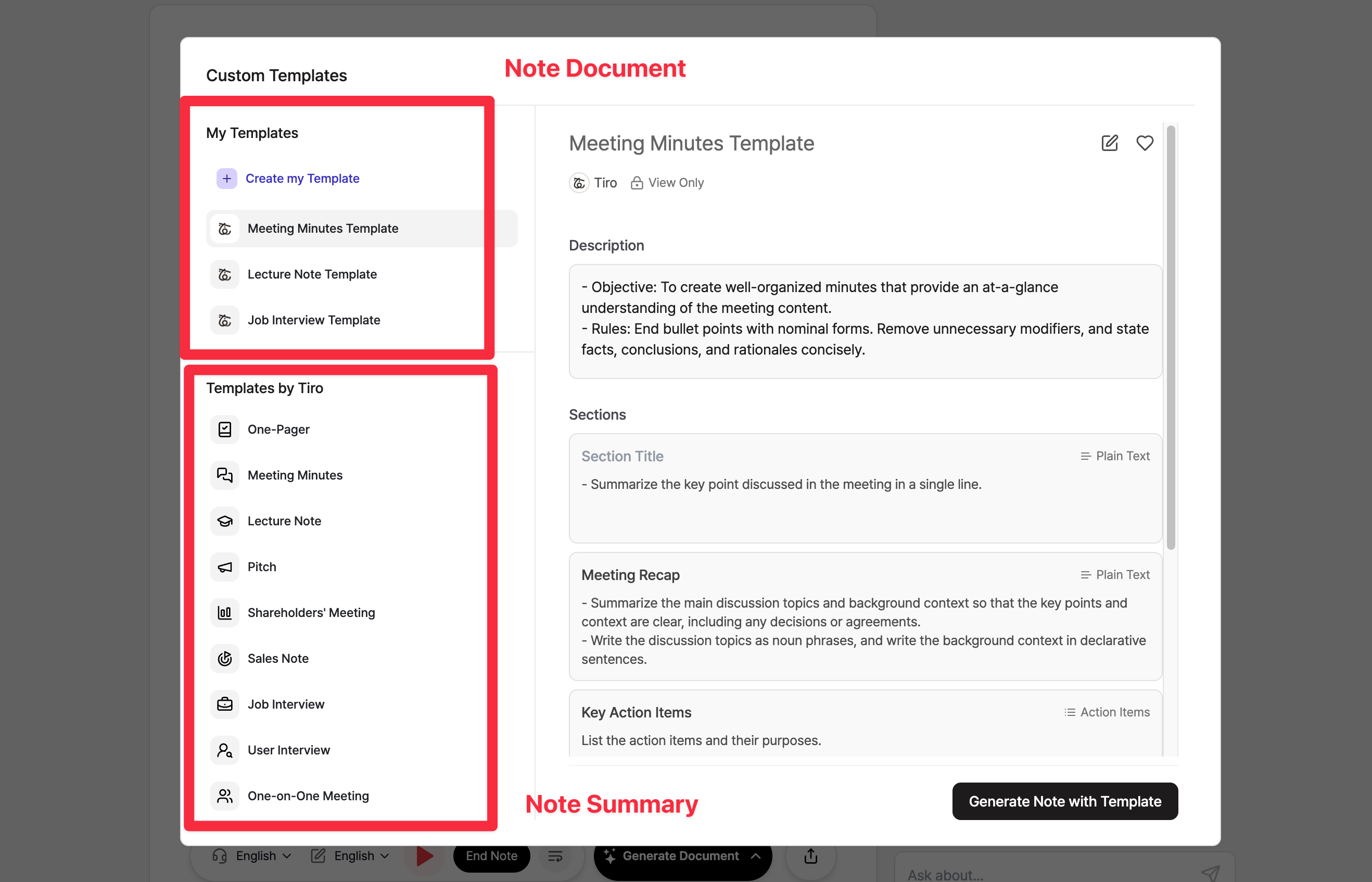
NoteDocument vs NoteSummary
| Feature | NoteDocument | NoteSummary |
|---|---|---|
| Purpose | Structured meeting documents | Quick format templates |
| Templates | 회의록 (Meeting Minutes), Custom templates | One-Pager, Pitch, etc. |
| API Support | ✅ Full support | ✅ Full support |
| Webhook Support | ✅ note_document.* events | ✅ note_summary.* events |
| Created via | API or Tiro app | Tiro app only |
NoteDocument
NoteDocument is designed for structured, section-based documents that you can create, retrieve, and manage via the API. Key characteristics:- Created using templates with defined sections
- Supports custom templates with user instructions
- Full API CRUD operations available
- Webhook events for real-time notifications
- 회의록 (Meeting Minutes)
- Custom templates you create
POST /v1/external/notes/{noteGuid}/documents- Generate documentGET /v1/external/notes/{noteGuid}/documents- List documentsGET /v1/external/notes/{noteGuid}/documents/{documentId}- Get document
NoteSummary
NoteSummary provides quick-format templates for different presentation styles. Key characteristics:- Optimized for specific use cases (pitches, one-pagers, etc.)
- Full API support for retrieving summaries
- Webhook events for real-time notifications
- Currently created through Tiro app interface only
- One-Pager
- Pitch
- And other format-specific templates
GET /v1/external/notes/{noteGuid}/summaries- List summariesGET /v1/external/notes/{noteGuid}/summaries/{summaryId}- Get summary with content
note_summary.generated- Summary creation completenote_summary.updated- Summary modifiednote_summary.deleted- Summary deleted